App-only vs. delegated access: what you need to know when operating room scheduling software

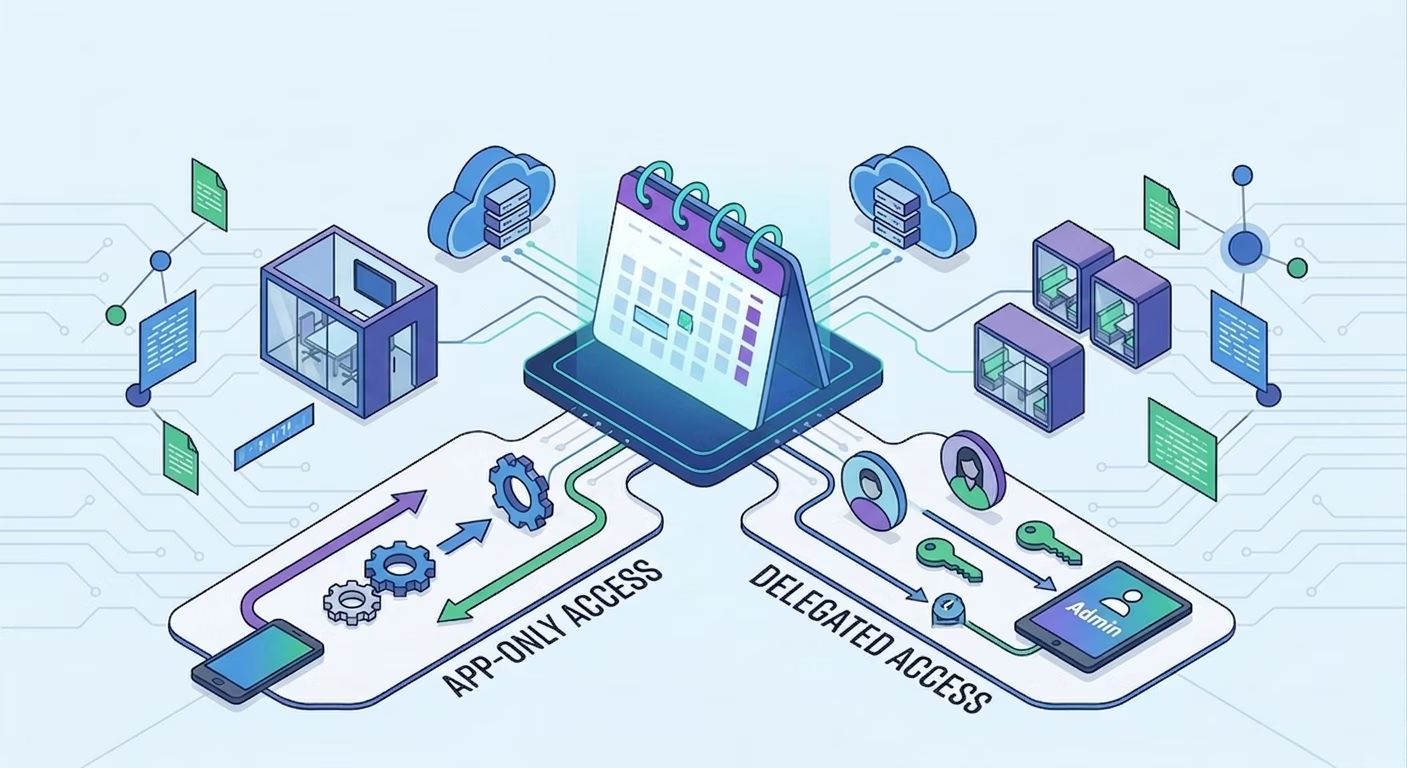
- Any operating room scheduling software must sync reliably with Microsoft 365 and Google Workspace calendars. IT managers can choose between two types of access: app-only vs delegated.
- App-only access uses application permissions so the room booking platform reads and writes room calendars in the background, with no signed-in user.
- Delegated access makes the platform act through a service account, which offers more control, but more constraints.
- For O365 and Google Workspace, app-only is the better fit for always-on, multi-site sync; delegated suits tighter, narrower deployments.
- In multi-tenant setups, neither model alone lets users book rooms hosted in another tenant. Witco adds a cross-tenant booking layer to solve exactly that.

What's the difference between app-only and delegated access for room scheduling software?
App-only access syncs rooms and bookings using the application's own identity (via application permissions). Delegated access acts on behalf of a user or service account. App-only scales better for background sync; delegated gives stricter control but can limit how bookings are created and edited.
Room scheduling looks simple to employees: they open a calendar, choose an available room, and book it. But for IT teams, the architecture behind that experience is more complex. It must take into account reliability, security, and experience.
When operating room scheduling software such as a conference room booking system, a technical question appears quickly when considering reliability, security, and experience: how should the software access the company’s calendars? In Microsoft 365 and Google Workspace, there are two answers.
- App-only access
- Delegated access
Both can support room booking synchronization. But they do not create the same security model, deployment effort, or end-user experience.
For IT managers responsible for multiple sites, shared buildings, or complex tenant structures, understanding this difference is essential before choosing or deploying a room scheduling platform.
What is app-only access?
App-only access means that the scheduling software accesses calendars using its own application identity, not the identity of an individual signed-in user. In Microsoft Graph this means application permissions.
Because room sync is a background process (importing rooms, reading availability, creating and updating bookings, detecting conflicts, listening for changes), it must keep running with nobody signed in. This is why application permissions are often preferred for enterprise deployments. They allow the scheduling system to work continuously, at scale, across many rooms and buildings.
What is delegated access?
Delegated access means that the scheduling software acts on behalf of a user. In Microsoft Graph, delegated access applies when an app calls Microsoft Graph for a signed-in user. IT often implements this with a dedicated service account.
It can feel safer because access is tied to an account, not the whole app. But it adds friction:
- Explicit access to every room calendar
- Careful service-account and token management
- Manual updates when rooms are added
- An origin-bound booking model: a booking made in Outlook is edited in Outlook; one made in the room scheduler software is edited in the scheduler
Great for high-security, and limited-scope cases, this mode is less seamless for end users.
App-only vs delegated access: comparison for room scheduling software
.avif)
App-only access is usually better for scale. Delegated access is usually better for control. The right call depends on your security policy, compliance requirements, and expectations around employee experience.
How this applies to O365 and Google sync with operating room scheduling software
- O365 Rooms: rooms are resource mailboxes. The platform syncs room data (names, capacity, equipment, hours) and bookings (times, organizer, attendees, recurrence, cancellations). App-only is usually preferred so sync continues in the background.
- Google Rooms: resources are booked as attendees by email. A service account with domain-wide delegation powers broad background sync (use it carefully); OAuth delegated mode is narrower but needs each room calendar shared with the delegated user.
One shared challenge: recurring bookings. When two systems both try to own recurrence logic, sync gets fragile, which is why many platforms let Outlook or Google Calendar stay the source of truth for series.
The CTO view: permission models shape the employee experience
The choice between app-only access and delegated access is often framed as a security decision.
But it is also a product experience decision.
The permission model determines:
- Whether bookings can be created from multiple interfaces
- Whether employees can edit a booking from Outlook and the room scheduler software
- Whether private meetings remain private
- Whether recurring meetings are supported
- How fast updates appear across systems
- Whether room displays, workplace apps, and calendars stay aligned
- How easily new buildings and rooms can be added
For IT managers, the best question is not simply: "Which permission model is more secure?"
The better question is: "Which permission model gives us the right balance of security, scalability, and usability?"
For most enterprise room scheduling deployments, app-only access with properly scoped application permissions provides the strongest foundation for reliable synchronization. Delegated access remains useful when an organization needs a narrower or more controlled access model.
The special case of multi-tenant room booking: when permissions are not enough
So far, the discussion assumes that users and rooms belong to the same Microsoft 365 or Google Workspace tenant. But many real-world environments are more complex.
A large enterprise may have several Microsoft Entra ID tenants because of:
- Acquisitions
- Regional IT structures
- Subsidiaries
- Historical infrastructure
- Separated business units
Employees may authenticate in Tenant A, while some meeting rooms are hosted in Tenant B.
A commercial real estate building operator with several tenant companies may manage shared resources centrally. Each tenant company has its own Microsoft 365 tenant but shares the same meeting rooms.
Here the issue isn't permission scope. It's that users and rooms aren't in the same tenant. App-only can authorize an app inside the room-owning tenant; delegated can grant a service account access to specific rooms. But neither lets every external user book those rooms natively from their own Outlook. This is where a standard O365 Rooms integration hits its ceiling.
How Witco handles multi-tenant room booking
Witco acts as a cross-tenant booking layer:
- Rooms stay managed in the room-owning tenant.
- Witco syncs availability and booking rules.
- External tenant users book the room from the Witco app.
- Witco creates the booking in the room-owning calendar.
- The user gets an invitation email, so the booking is visible even though the room isn't in their tenant.
In this model, users can book from Witco and still receive a calendar invite.
For a multi-site enterprise, this creates a consistent booking experience despite fragmented tenant architecture.
For commercial real estate operators, it enables shared resource booking across several tenant companies without forcing those companies into the same Microsoft tenant.
Witco becomes the neutral booking layer between tenants.
Frequently asked questions about app-only vs. delegated access for room scheduling software
Can room scheduling software access private meeting details?
What happens when a new meeting room is added?
Can IT teams restrict who is allowed to book specific rooms?
What should IT teams check before choosing a room scheduling platform?