Display an interactive map of your building that offers wayfinding and instant space bookings. Broadcast the right message, at the right time, on every screen. With Witco's workplace digital signage, easily schedule and supervise all your multimedia content (for your employees and your visitors alike) from a single web portal.
They keep their workplace informed with Witco:




Turn digital meeting room signs into a powerful communication channel
Broadcast all your content, on any screen
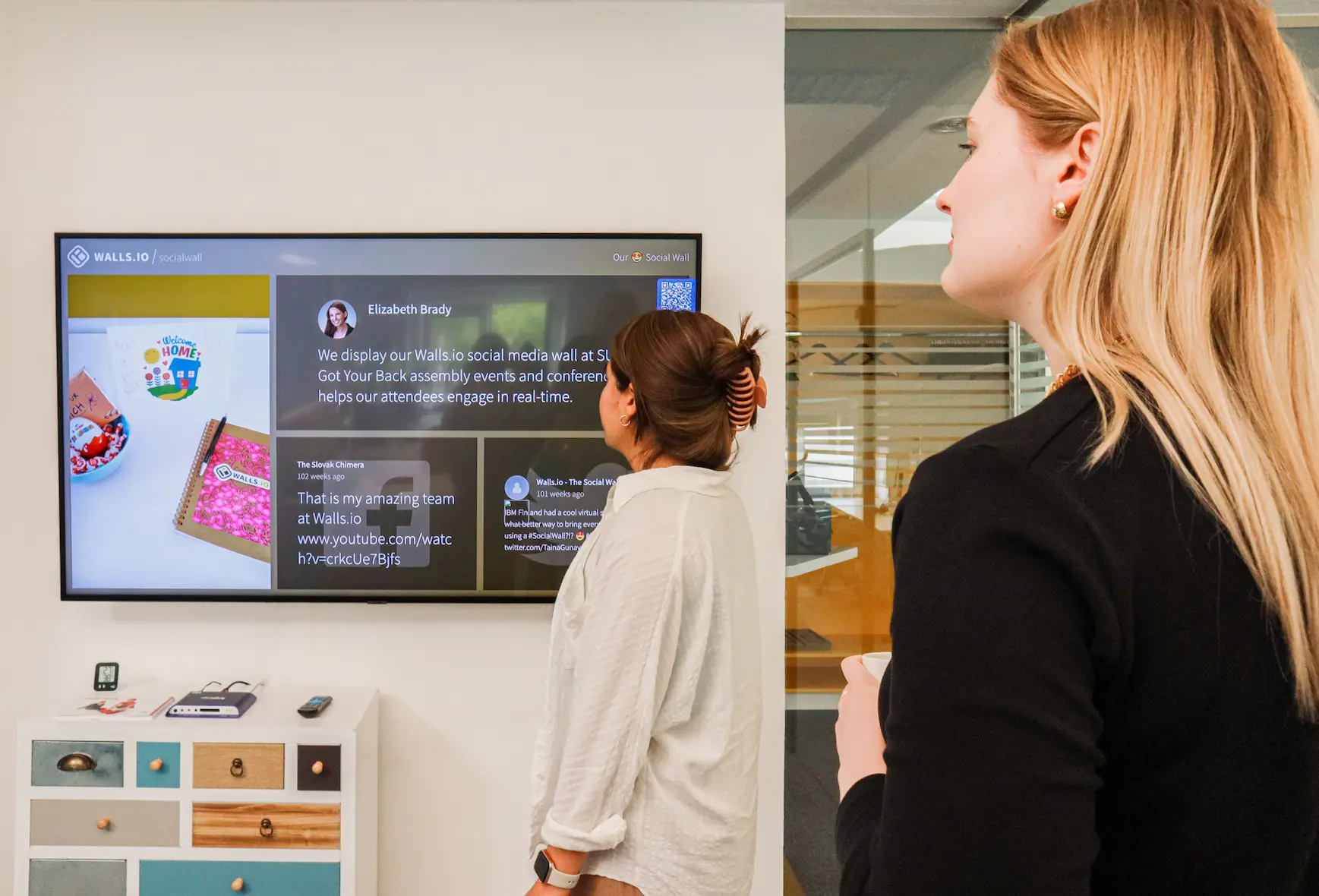
Images, videos, animated PowerPoint presentations, key web content, feeds, tweets, live events, IPTV channels… whatever the format, send the right message to the right audience at the right moment.
Create playlists and pilot their broadcast on any screen, from SignPad displays to RoomPad® meeting room booking displays or KioskPad touchscreens broadcasting playlists content when on stand-by mode.

Multi-media by design
Import and broadcast every media format. Content is automatically converted to HTML5, so it stays reusable on any website, intranet or CMS.

Intuitive content management
Create and schedule your workplace digital signage playlists intuitively from the digital signage tool. Program your content at any time of day, build your own broadcast templates, and update everything in real time.

Centralized broadcast management
Manage all your broadcast points from a single web portal. Define multilingual, differentiated and/or shared playlists across all your buildings, points of sale or floors.
Adapt office digital signage to every screen and every audience
Broadcast on any type of screen, in portrait or landscape mode.
Define multilingual playlists so each location displays the right communication in the right language while keeping a centralized, consistent message across your sites.

Customize the content
Depending on the screen location, add local content of interest such as live traffic news, weather forecasts, corporate feed, etc.

Communicate in all languages
Supporting all alphabets and languages, the system lets users write their messages in the language they choose and select the buildings and screens where to display the communication.
.png)
Make real-time updates
Modify your content and scheduling in real time across all your broadcast screens, so your communication is always up to date.
Guide everyone to the right place with built-in wayfinding
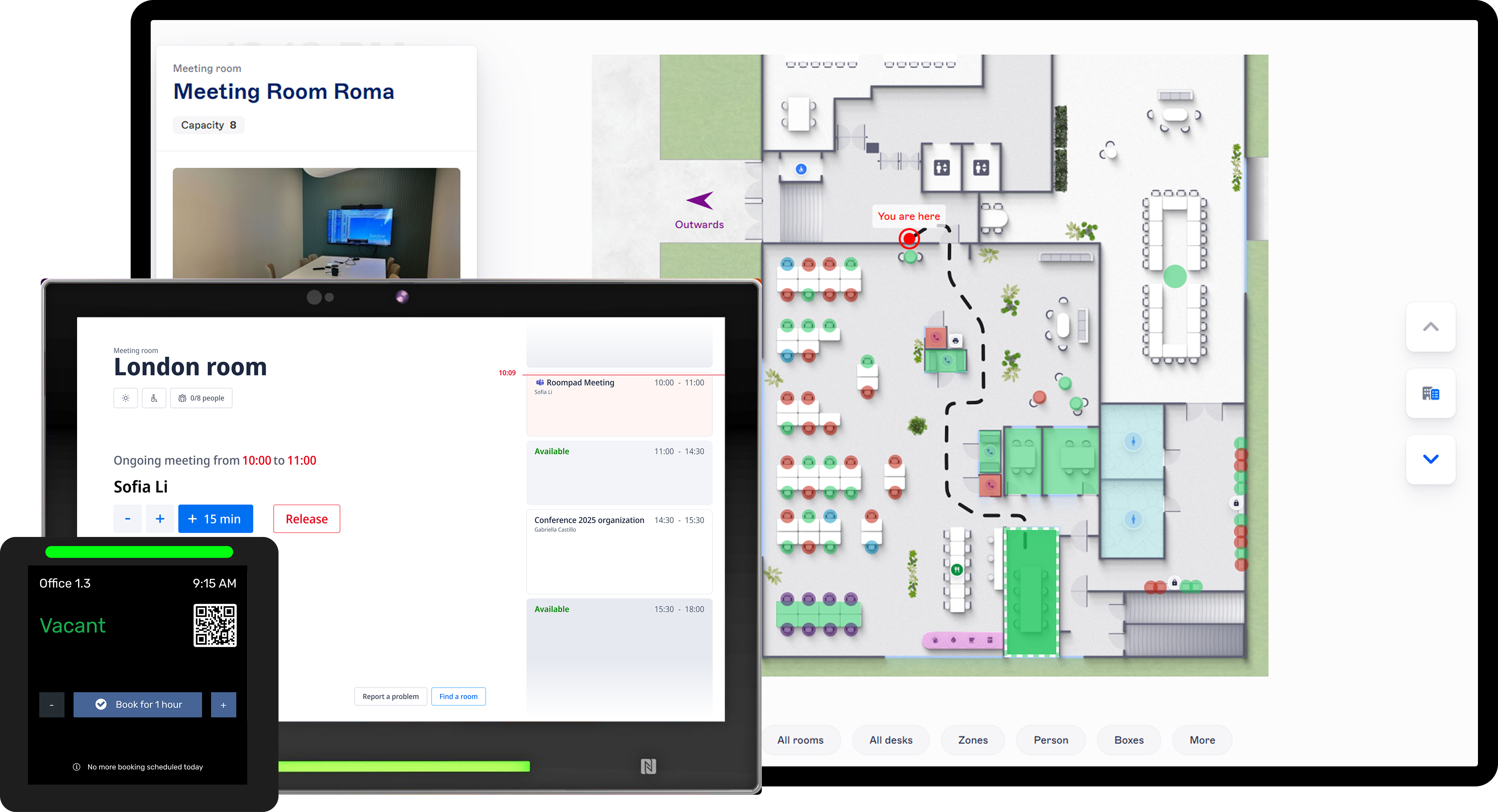
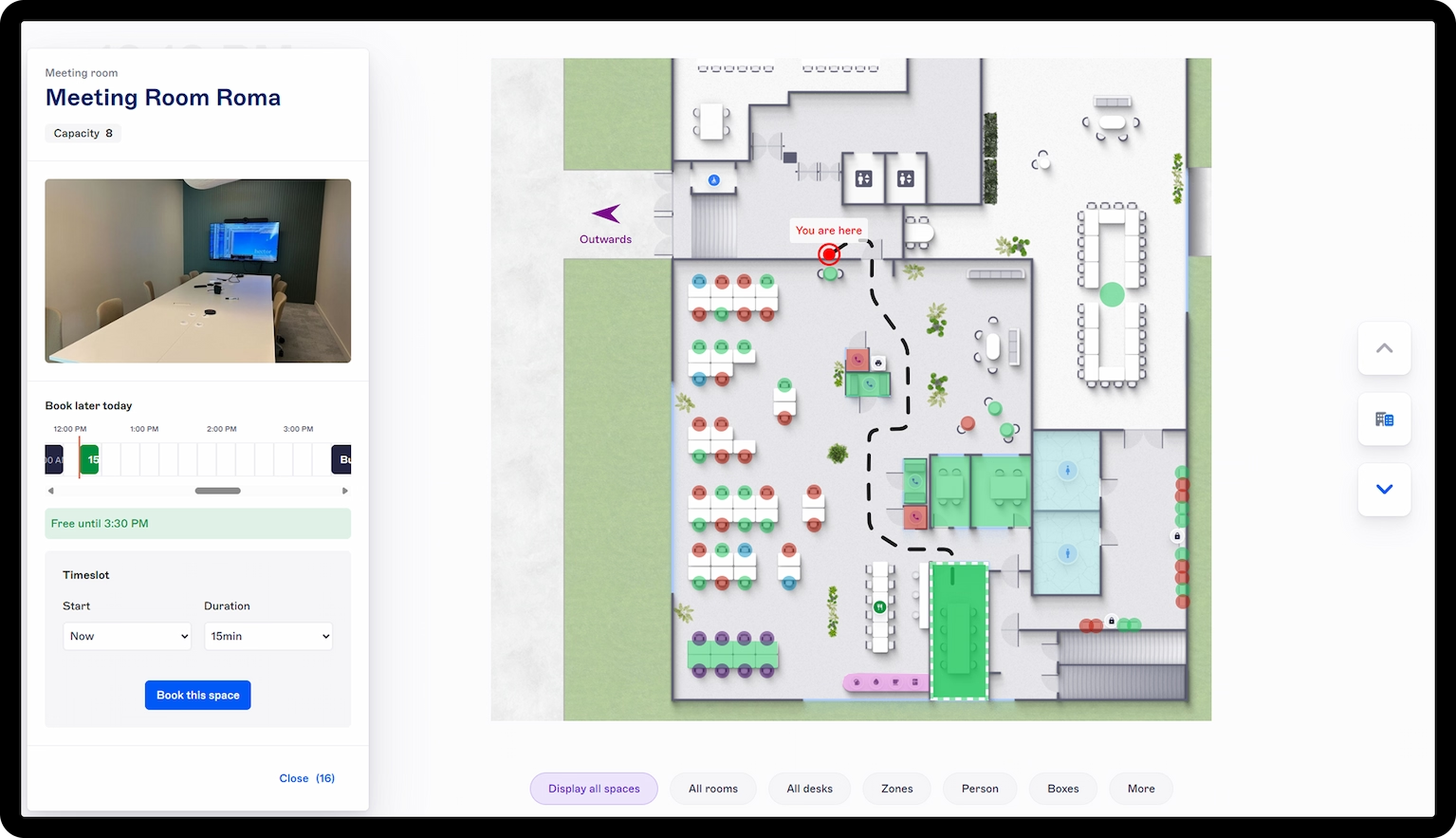
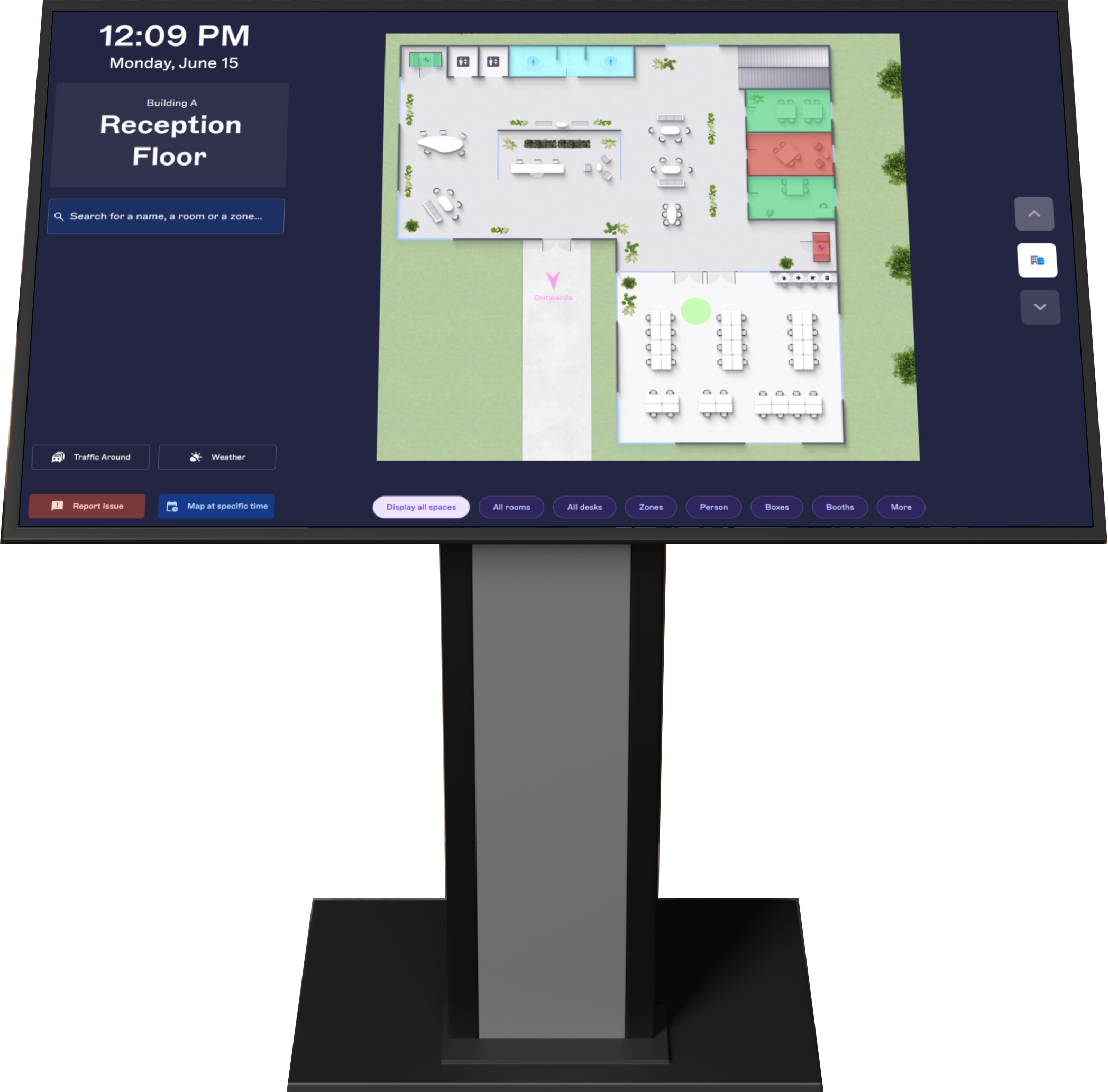
Help employees and visitors move around your buildings with interactive maps displayed on KioskPad screens and RoomPad® digital meeting room signs.
Located strategically across building floors, those screens help users explore the map, find meeting rooms and shared spaces, and get directed to the nearest available room.
Interactive map navigation on KioskPad
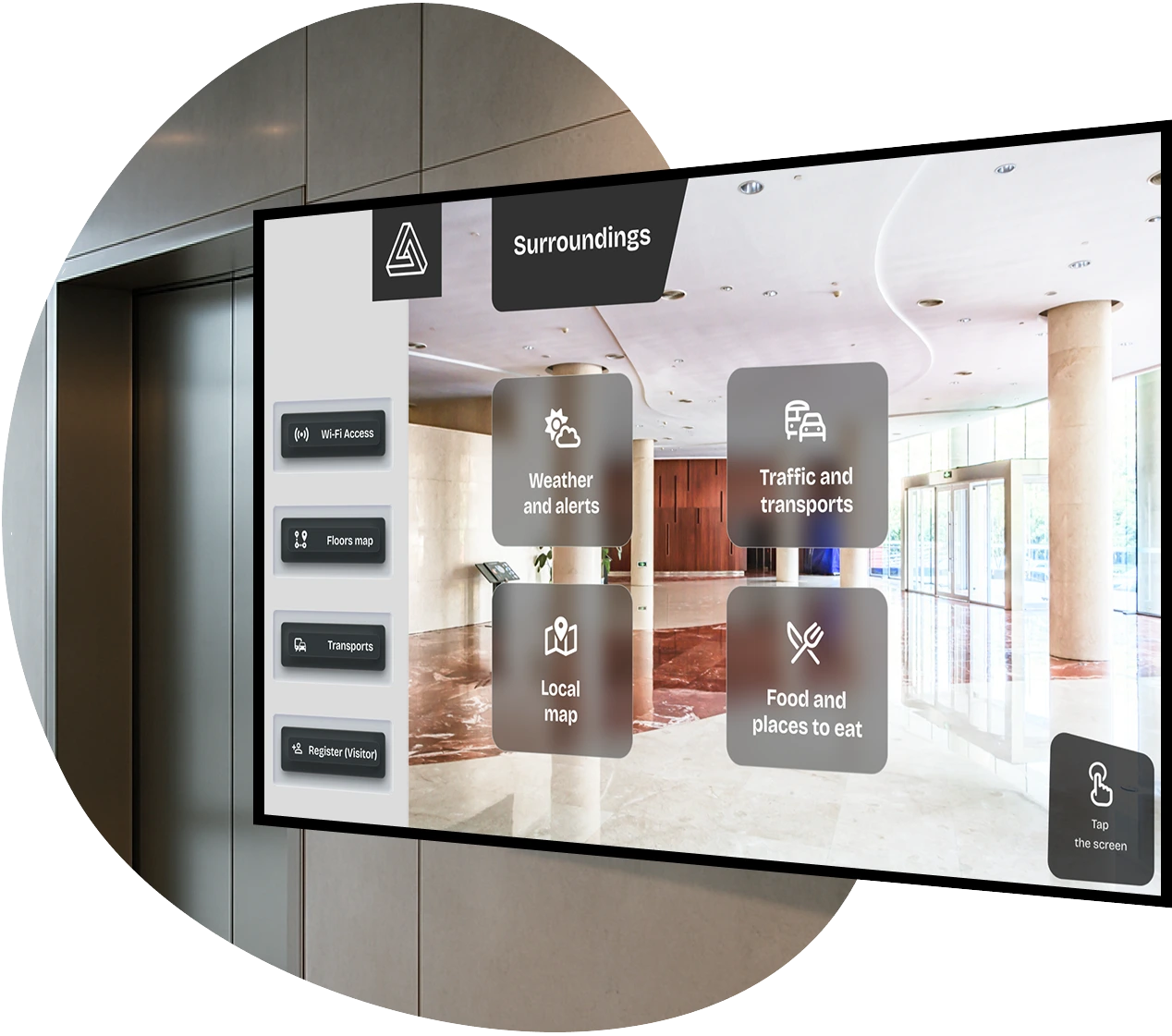
Turn your hallway and lobby screens into interactive wayfinding kiosks. Visitors and employees can browse a live interactive office floor plan, and find any other useful information made available.
Finding the closest free room on RoomPad®
On top of displaying room status, RoomPad® tablets, which are located at room entrances, offer a map view (with wayfinding and room availabilities) and broadcast corporate communications (in stand-by mode).
See room status on the map, in real time with interactive office floor plans
Display the live status of your meeting rooms directly on your interactive floor plan.
Available, pending confirmation, or occupied, every room updates in real time, so everyone always knows which spaces they can use.
Always-synced availability
Room availability is synced in real time with Microsoft 365 or Google Workspace, as well as with the digital meeting room signs so the map reflects every booking and cancellation the moment it happens.

Color-coded at a glance
Placed by the door of each room, RoomPad® tablets display color-coded LED indicators (green for free, orange when pending confirmation, red for occupied) so availability is clear from across the floor.

Occupancy from real presence
Add presence sensors synced with Witco to show real-time occupancy on all maps and devices based on physical presence detection.
Book, guide, inform and optimize space usage

Centralized content management
Build and organize your playlists in the integrated Digital Signage software for effortless, targeted broadcasting.

Presence-based occupancy
Connect presence sensors to reflect actual room usage and improve the accuracy of availability data.

Calendar synchronization
Keep room schedules accurate with real-time synchronization with Microsoft 365 or Google Workspace.
Wayfinding guidance on interactive floor map
Guide people to the right room faster with map-based navigation. Help employees and visitors locate meeting rooms and nearby available rooms directly from the screen.
Built-in concierge services
Offer handy services such as incident reporting and visitor information, right where people need them.
Contextual dynamic display
Broadcast the right message to the right audience (corporate news, safety alerts, works council updates, etc.) tailored to each screen location.

Check-in confirmation
Confirm room usage on arrival to reduce no-shows and keep meeting spaces available when plans change.

One-tap room booking and cancellation
Book an available meeting room directly from the RoomPad display in just a few seconds. Free up rooms with one tap when leaving early.
Real-time room availability
See instantly whether a room is free, booked, or awaiting confirmation with clear, live status updates at the door.
Empower your workplace IT ecosystem
We integrate with 150+ partners to help you go further in managing your workplace



















.svg.png)


.svg)

