Witco + Microsoft 365: one workplace experience platform, from calendar to office floor
Microsoft 365 organizes the workday. Witco, as a workplace experience platform, adds purposeful services around it to create a truly unified digital workplace:
- The Witco add-in for Outlook turns a calendar invitation into a complete meeting journey: room, services and visitors.
- Witco extends Microsoft Teams and Microsoft Places with the depth of a dedicated workplace experience platform.
- Witco digital signage devices connect the digital experience to the physical office.
Why complement Microsoft 365 to cover entirely the workplace
Employees do not think in terms of software ecosystems. They simply want their workday to flow: find a suitable space, see who will be in the office, welcome a client, order lunch, report an issue and find the way to a meeting.
Microsoft 365 already structures much of that day through Outlook and Teams, and Microsoft Places adds space coordination on top. By connecting Witco with Microsoft 365, organizations can go further: they can offer employees a continuous experience that begins in their familiar digital tools and extends into the physical workplace.
As workplace experience platform, Witco connects to Microsoft 365 and adds the missing layer: services, visitors, requests, communication, resources and on-site touchpoints.
The result is not just easier booking. It is a unified digital workplace where every step of the day connects to the next.

What's the difference between Microsoft Places, Teams Rooms, and Bookings?
These three Microsoft products are often confused, but they answer very different needs.
- Microsoft Places is about workplace and space coordination: booking a desk or a meeting room, seeing which colleagues will be on site, and analyzing how spaces are used.
- Microsoft Teams Rooms is about equipping a physical room for hybrid meetings: certified console, camera and screens, plus Teams Panels at the door to run Teams meetings in the room.
- Microsoft Bookings is about scheduling appointments with people: it lets clients, candidates or patients reserve a time slot with a team member through a booking page.
They are complementary rather than interchangeable, and none of them covers the full employee experience. Visitor management, service ordering, request handling, internal communication, parking or locker booking and interactive wayfinding sit outside their scope. That is where a workplace experience platform such as Witco completes the picture, while synchronizing with the Microsoft environment your teams already use.
The Outlook add-in: from calendar invitation to complete meeting experience
Adoption improves when tools meet employees where they already work. For most Microsoft 365 users, meetings start in Outlook.
The Witco add-in for Outlook turns a familiar calendar event into the starting point for the entire meeting journey, from finding the right room and ordering services to preparing a visitor’s arrival.

Everything from one calendar event
While creating an Outlook meeting, an organizer can:
- find the right meeting room faster, with filters for capacity, site, floor, equipment and characteristics such as accessibility or natural light.
- see complete room details, including photos, real-time availability, schedule, and associated services.
- order services: catering, refreshments, audiovisual support, etc. while creating the event.
- identify external attendees and pre-register them as visitors without re-entering information in a separate visitor-management tool.
- update or cancel a room, a service or a visit by reopening the same event.
A calendar invitation stops being a time slot with a room name. It becomes the trigger for a coordinated workplace journey.
A smoother welcome for visitors
The add-in reads the attendees already listed in the event. The organizer confirms who is external, and Witco pre-fills what it already knows.
From there, Witco can:
- send visitors their confirmation and arrival details,
- notify the host when a visitor checks in,
- synchronize visitor data with compatible security systems.
Everyone gains. Organizers spend less time on logistics. Reception teams get reliable information in advance. Visitors arrive to a professional welcome.
Familiar, branded, synchronized
Single sign-on removes extra logins. Branding options align the add-in with the company's visual identity. Two-way room synchronization keeps Witco and Microsoft 365 consistent, so availability can be trusted on both sides.
For a detailed walkthrough read our article on how Witco Outlook add-in streamlines meeting room booking and visitor management.
Witco in Microsoft Teams
The same logic applies in Teams, the app many employees keep open all day.
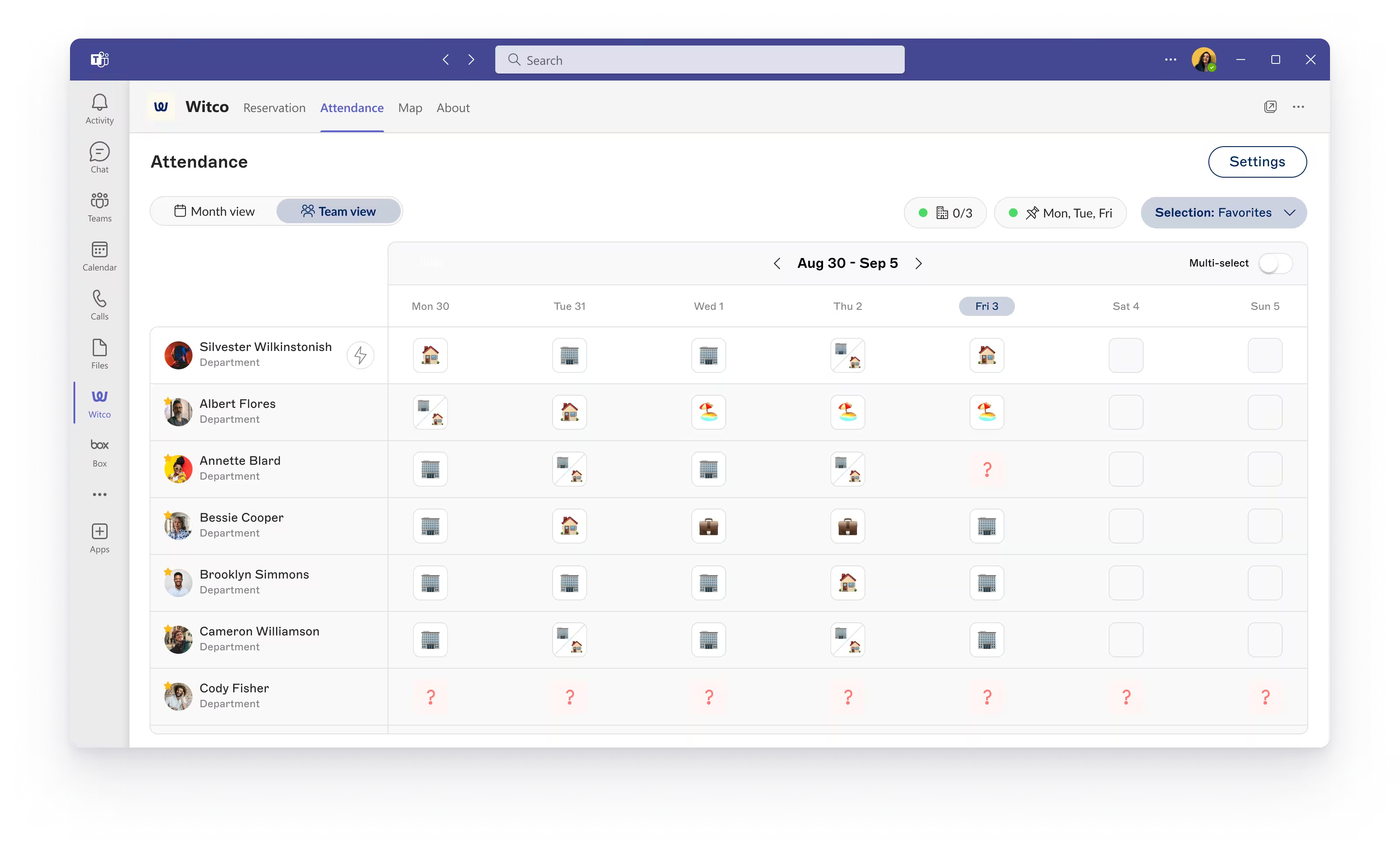
From Teams, employees can access Witco to:
- book desks, meeting rooms or any other resources,
- declare their office presence and see which colleagues will be on site,
- open the interactive floor plan to locate available spaces,
- coordinate office days with their team.
No new habit to learn. Just more services in a familiar place.
Extending Microsoft Places with a complete workplace platform
Microsoft Places adds useful space coordination to the Microsoft ecosystem, including room and desk discovery, workplace presence and space analytics. Witco complements these capabilities with the functional depth required to manage the wider employee experience.
The combination connects Microsoft’s productivity environment with a platform designed specifically for the workplace. Depending on the organization’s configuration, employees can access:
- more types of bookable resources: desks, rooms, parking spaces, collaborative areas and connected lockers.
- visitor management: pre-registration, QR codes, self check-in and group arrivals.
- employee services: catering, concierge services and other workplace requests.
- a native request center: simple issue reporting, intelligent routing, status tracking and service statistics.
- workplace communication: news, events, practical information and community features.
- access and identity services: including digital badges and integrations with access-control systems.
- advanced flex-office journeys: presence declarations, team visibility and configurable workplace policies.
Instead of assembling separate apps for each need, organizations get one coherent service layer around Microsoft 365, the foundation of a unified digital workplace.
Devices that bridge digital and physical
A workplace experience cannot stop when an employee closes a laptop or puts away a phone. Once on site, people still need to find their way, spot a free room, confirm a booking, and understand what is happening around them.
Witco’s workplace devices bridge this gap between digital intent and physical reality.
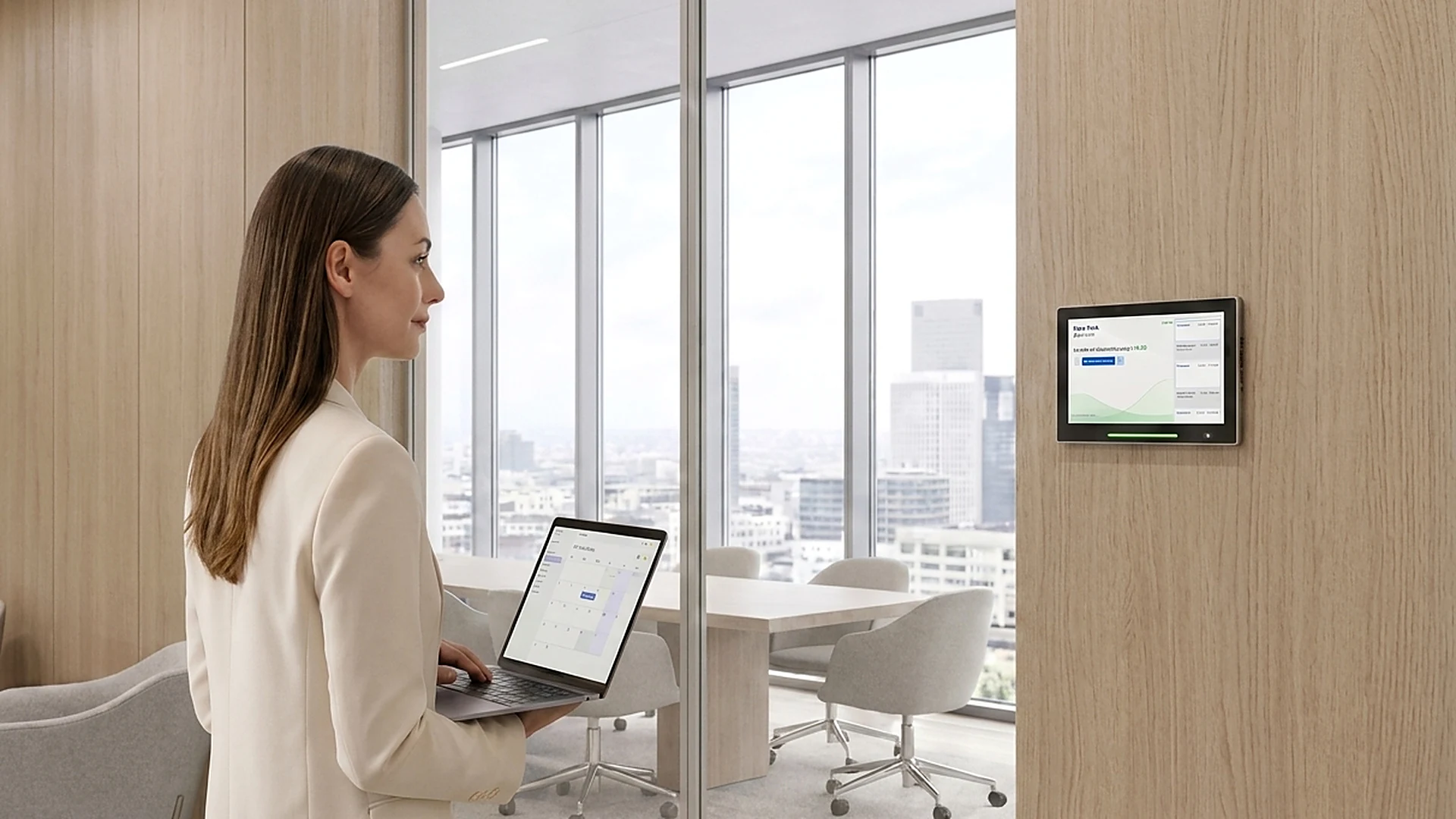
- RoomPad and BoxPad tablets display room status and allow booking at the door.
- KioskPad wide screens brings the interactive map and workplace information into shared areas, for employees and visitors alike.
- Occupancy and IoT integrations sharpen availability data, help detect no-shows and release unused spaces.
- Digital signage keeps key information visible throughout the day for extended communication towards building’s occupants.
These physical touchpoints are connected to the same workplace ecosystem as Teams, Outlook, Places and the Witco application. A booking made in advance is reflected where the employee needs it; real-time changes can be surfaced both digitally and on site.
A day in a unified digital workplace
At home. The employee checks who is coming to the office and books a desk from Teams.
In Outlook. They plan a client meeting: filter rooms by capacity and equipment, review the details, order catering, and register the external attendees as visitors. The invitation goes out with the logistics already in motion.
On arrival. Visitors check in with their invitation. KioskPad's interactive map guides them to the room.
At the door. A RoomPad tablet confirms the room and its schedule.
After the meeting. It ends early, so synchronized availability makes the room bookable again. On the way out, the employee reports a faulty screen through Witco and follows the resolution.
Each step is simple. Together, they create a workplace that feels responsive, coherent and easy to navigate.
Flexibility for IT, simplicity for employees
A workplace experience platform is only as strong as its connections.
Witco integrates with HR information systems, building and maintenance tools, access control, connected lockers, occupancy sensors and business intelligence solutions. It supports Microsoft 365 while remaining open to other environments, including Google Workspace, with open APIs and webhooks for specific needs.
For IT and workplace teams, that means less fragmentation and no ecosystem lock-in. For employees, the complexity stays invisible.
Witco also brings what a generalist suite cannot: a platform dedicated to the workplace, multi-site and multi-tenant management, centralized administration with local configuration, and specialists who work on workplace challenges every day.
Better together
Combining Witco with Microsoft Teams, Outlook and Places allows organizations to build on employees’ existing habits without limiting the workplace experience to the Microsoft environment.
Microsoft 365 provides the familiar productivity layer. Witco adds the workplace layer: more resources, richer services, visitor journeys, requests, communication, integrations and connected devices.
Together, they create continuity between planning a day, arriving at the office and using the workplace.
The goal is simple. Employees should never have to think about the technology behind their day. They should simply experience a workplace that is easy to access, easy to understand and ready to support them (on every screen and in every space).
Frequently asked questions
What is a workplace experience platform?
Microsoft Places vs Witco: which should we choose?
Does Microsoft Places handle visitor management?
Can we manage hybrid work or flex office rules, such as minimum days in the office, with Microsoft 365?
Can a workplace app work with both Microsoft 365 and Google Workspace?